Under the Hood
The Josquin Research Project consists of two primary components:
- The website
- The data server and digital score files
Together these components provide public access to encoded musical scores, metadata, and derived analytical resources.
The Website
Source files for the client-side of the website can be
viewed on GitHub. The website uses GitHub Pages and Jekyll, a static website generator.
The following JavaScript libraries are used on the website:
- Select2, a jQuery plugin. Form controls can now be styled in modern browsers, but cross-browser behavior is still inconsistent for some native elements, so the project uses Select2 for consistent dropdown UI and behavior.
- ezMark, a jQuery plugin used to style check boxes and radio buttons.
- qTip, a jQuery plugin used to manage tooltips.
- Handlebars, which is used for content templating, such as for creating the Statistics section on the Repertoire page and other dynamic tables across the site.
- D3, used to visualize analysis data, such as on the Ribbon plot page.
The Data Server
The Josquin Research Project operates a separate data server to manage digital scores, format translations, and prepared analytical data:
https://data.josqu.in
The server provides API endpoints for retrieving musical data in various formats, including:
- Humdrum, the primary archival format used for encoding musical scores
- MEI
- MusicXML
- MIDI
- analytical graphics
The authoritative files for all encoded scores are maintained in the repository:
https://github.com/josquin-research-project/jrp-scores
The data server automatically imports the contents of this repository into its internal framework.
The server-side infrastructure that performs this processing is maintained in the repository:
https://github.com/craigsapp/jrp-data-server
This software handles data indexing, format conversion, API responses, and generation of derived files such as incipits and analytical datasets. Further documentation is available in the repository README file.
File Naming and Example Data Object
Each musical work uses a structured identifier, consisting of a three-letter composer code, a four-digit work number, and an optional section letter, which typically corresponds to the movements of multi-section works (e.g., a for the Kyrie in the mass ordinary).
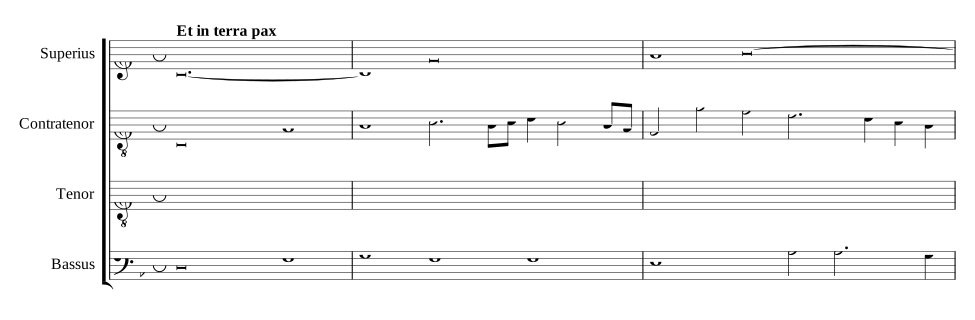
Example incipit file:
https://data.josqu.in/Agr1001a-incipit.svg
Filename interpretation:
- Agr — composer Alexander Agricola
- 1001 — work number
- a — first section of the work
List of composer codes:
https://bit.ly/renaissance-composer-codes
Encoding Standards
Encoding standards for the project ensure consistency across scores from multiple contributors. These standards define how Renaissance musical notation is represented within the Humdrum framework:
https://wiki.ccarh.org/wiki/Josquin
Topics include conventions for voice names, mensural notation, editorial accidentals, section boundaries, text underlay, and metadata documentation.
Master Metadata Index
Metadata is maintained in a master spreadsheet:
https://bit.ly/renaissance-metadata
This spreadsheet catalogues information such as composers, work titles, manuscript sources, catalogue numbers, work scoring, and editorial metadata. A Google Apps Script converts the spreadsheet into JSON data used by the website:
https://script.google.com/macros/s/AKfycbwuWnQ6O9AGgbBT7B2rLPwEQw9i7NRHtkA2Jq8A1L6drL9Th7PR-jARwDKP6kZEhED56w/exec?sheet=works
The website loads this JSON file dynamically to power metadata search, composer browsing, work listings, and catalog navigation. This setup enables the project to maintain one authoritative metadata source.